
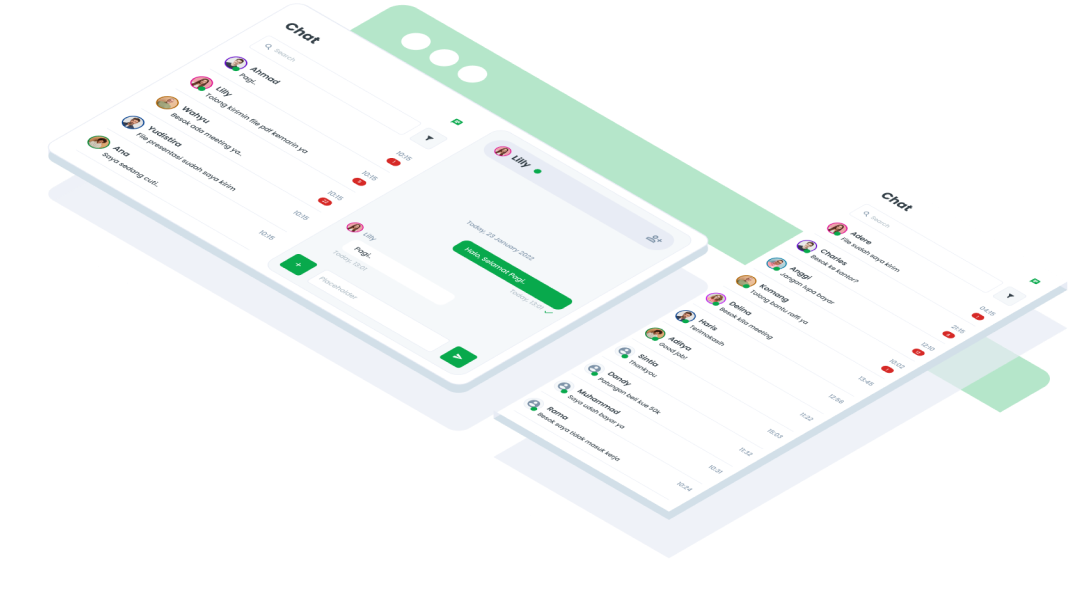
ComponentsChatThe Chat component is designed to facilitate real-time communication between users within an interface, mimicking a conversation interface commonly found in messaging applications.
Guidelines
Web
Mobile
Resources
- You can use these components by accessing the provided resource files.
- Preview animations are examples and may not suit Mobile Widgets. Press 'View Code' to access the Widgetbook Playground and see the Flutter widget displaying all created components and interactive.
Usage
Import this line to your file:
import 'package:buma_design_system/buma_design_system.dart';
Attributes of all variants
If there is a question mark ? in the Data Type, it means that the properties are optional, this is namedConstructor from UIChat, UIHeaderChat etc.
UIChatHeader
Header insider detail chat
| Properties | Data Type | Description | Default Value |
|---|---|---|---|
| headerTitle | String | Displays title header | null |
| avatarColor | Color? | Color for avatar | UIColors.backgroundDark |
| isActive | bool | Displays green container when user is active | false |
| personInChat | int? | Displays grouping person in header | null |
UIChatHeaderSearch
Header for chat page
| Properties | Data Type | Description | Default Value |
|---|---|---|---|
| controller | TextEditingController? | A controller for an editable text field | null |
| headerButton | UIChatButtonItem? | A button right of serach field | null |
| searchButton | UIChatButtonItem? | A button for search field | null |
UIChatEmpty
Empty variant represents the initial state of the chat interface when there are no active conversations or messages. It provides users with a clean and minimalistic interface, ready for them to start new conversations or join existing ones.
| Properties | Data Type | Description | Default Value |
|---|---|---|---|
| onTapStartChat | VoidCallback? | Handle starting chat | null |
UIChatTextRight
Chat message at the right of content
| Properties | Data Type | Description | Default Value |
|---|---|---|---|
| message | String | Displays messages chat | null |
| time | DateTime? | Displays time chat | null |
UIChatTextLeft
Chat message at the left of content
| Properties | Data Type | Description | Default Value |
|---|---|---|---|
| name | String | Displays messages from the other person | null |
| message | String | Displays description of specific highlight chat or message from other person | null |
| time | DateTime? | Displays time chat from other person | DateTime.now() |
| avatarColor | Color? | Color of avatar chat | UIColors.info500 |
UIChatItem
Displays item of chat
| Properties | Data Type | Description | Default Value |
|---|---|---|---|
| name | String | Displays name person of specific chat | null |
| avatarColor | Color? | Color of avatar chat | UIColors.info500 |
| desc | String? | Displays description of specific highlight chat or message | null |
| time | DateTime? | Display time specific chat | DateTime.now() |
| notification | int? | Displays number of notifications | null |
UIChatField
Field to add a new chat post
| Properties | Data Type | Description | Default Value |
|---|---|---|---|
| controller | TextEditingController? | A controller for an editable text field | null |
| placeHolder | String? | A placeholder for field | null |
| onButtonLeftPressed | VoidCallback? | A callback when user pressed left button | null |
| onButtonRightPressed | VoidCallback? | A callback when user pressed right button | null |
Previews & Code
You can call the components with Class.namedConstructor() with different variants.
Header Chat
 UIChatHeader(
   headerTitle: 'Username',
   avatarColor: Colors.info500,
   isActive: true,
   personInChat: 2
 )
Header Search
 UIChatHeaderSearch(
   controller: TextEditingController(),
   rightButton: UIChatButton(
     icon: Icons.flight,
     onTap: (){
       // Do something
     },
   ),
   leftButton: UIChatButton(
     icon: Icons.flight,
     onTap: (){
       // Do something
     },
   ),
 )
Empty Chat
 UIChatEmpty(
   onTapStartChat: () {
     // Do something
   };
 )
Chat Item
 UIChatItem(
   name: 'Username',
   avatarColor: UIColors.info500,
   desc: 'List item description',
   time: DateTime.now(),
   notification: 100,
 )
Right Chat Text
 UIChatTextRight(
   message: 'Lorem Ipsum',
   time: DateTime.now(),
 )
Left Chat Text
 UIChatTextRight(
   message: 'Lorem Ipsum',
   time: DateTime.now(),
 )
Chat Field
 UIChatField(
   controller: TextEditingController(),
   placeHolder: 'Placeholder',
   onButtonLeftPressed: (){
     // Do something
   },
   onButtonRightPressed: (){
     // Do something
   }
 )