
Donut Chart
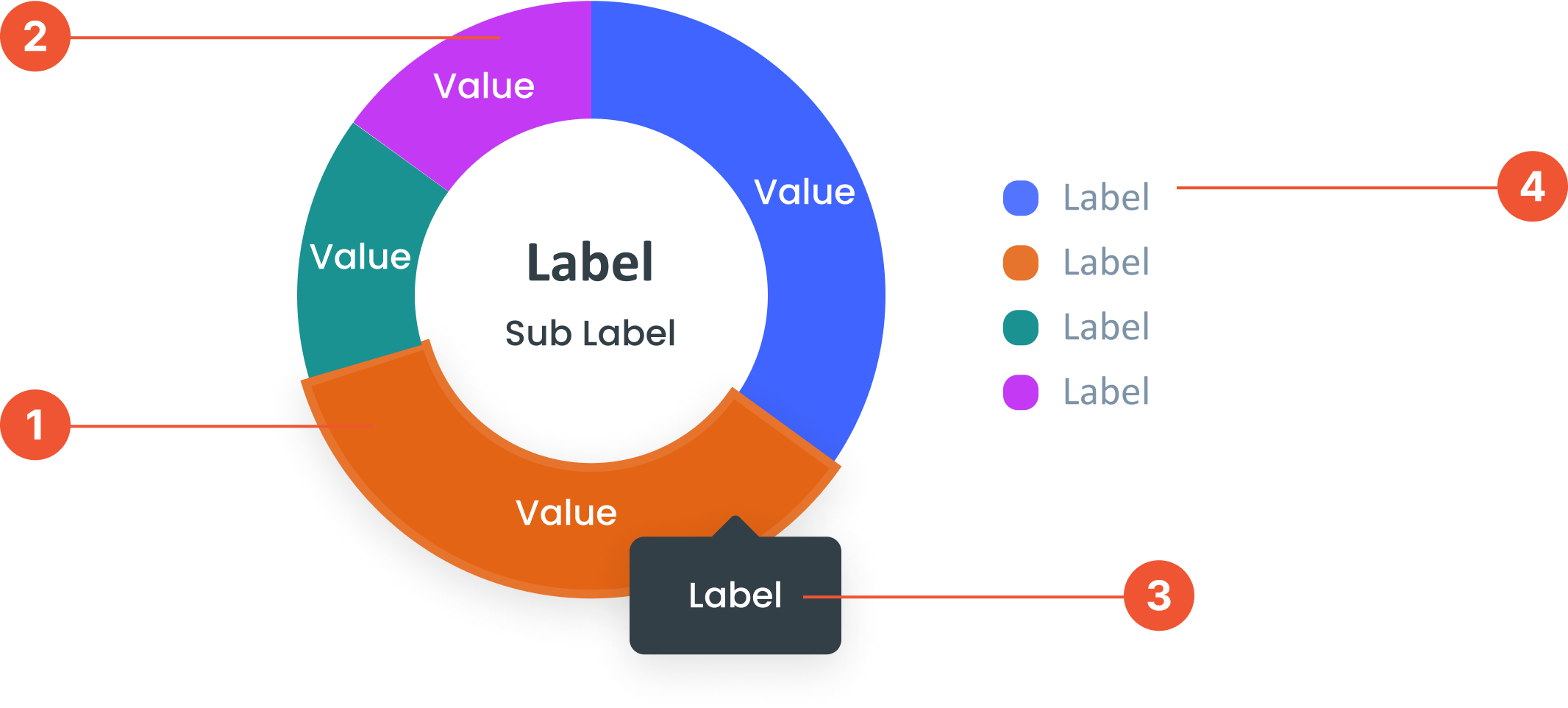
Anatomy
The numbers or categories shown on the chart. They represent the data being measured.A circular chart similar to a pie chart but with a hole in the center.
A small box that pops up when you hover over a data point, showing more details about it.
A visual elements that serve as a guide to explain the meaning of various data or elements displayed in a graph
Guidelines for Donut Chart
- Can display 6 to 8 data points. If there are more, they can be categorized as "Other".
- Maximum Digits: Label value should not exceed 4 digits & Decimal Digits: Display 1 decimal place without making the graph look messy.
- Center Labels: The labels and sub-labels in the center of the donut chart are optional. Can be used to provide a summary or key information.
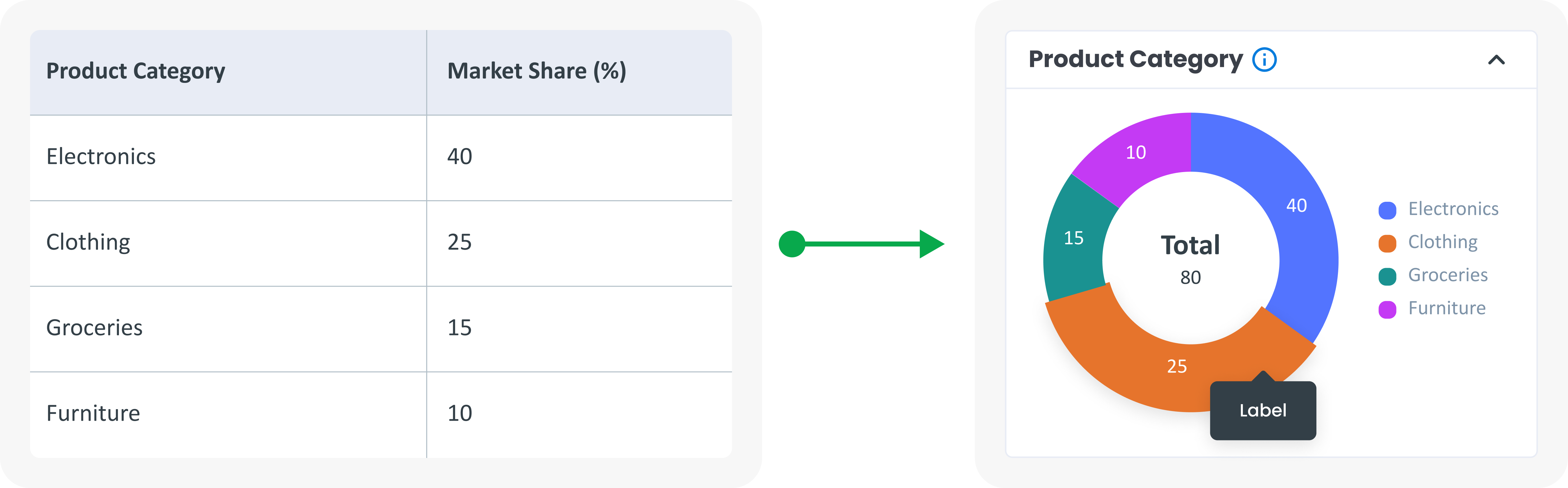
Example of Source Data
When to Use Donut Chart?
- Donut charts are suitable for showing the composition of a category, comparing the size of a segment of data as a whole, and showing the contribution of each part to the total data.
- Show how each segment contributes to the overall total.
- Emphasise certain segments, the space in the middle can be used to display additional information or show certain labels.
- Comparing categories, When you want to compare. multiple categories, especially when one or more segments are much larger or more small.